Who ranks for “copy youtube transcript”
“copy youtube transcript” gets about 720 searches a month in the US. The top results are youtube-transcript.io, youtubetotranscript.com, reddit.com. The median Domain Rating on page one is DR 55, and the lowest is DR 9. To rank, you need relevant backlinks from sites like these.
88 organic results· Google estimates ~103
Google pages10/10
- AI Overview
- Videos
- People also ask
youtube-transcript.iohttps://www.youtube-transcript.io
Easy Copy & Download. Quickly copy or download your YouTube transcript with one click—making it simple to save, share, or repurpose your content anytime.
Youtube to Transcripthttps://youtubetotranscript.com
Paste the YouTube video link and click "Get Transcript." Customize your transcript by removing unwanted sections and selecting your language. Explore our AI
AI Overview
To copy a transcript directly from YouTube on a desktop computer, follow these steps :
Open the video on YouTube. Expand the description below the video by clicking "more". Click "Show transcript". The transcript will open in a side panel. Remove timestamps (optional) by clicking the three dots in the transcript panel and selecting "Toggle timestamps". Highlight the text by clicking the first word, scrolling to the bottom, holding the Shift key, and clicking the last word (or click and drag from top to bottom). Copy and paste the text using Ctrl + C (Windows) or Command + C (Mac) and paste it into a word processor or text editor.
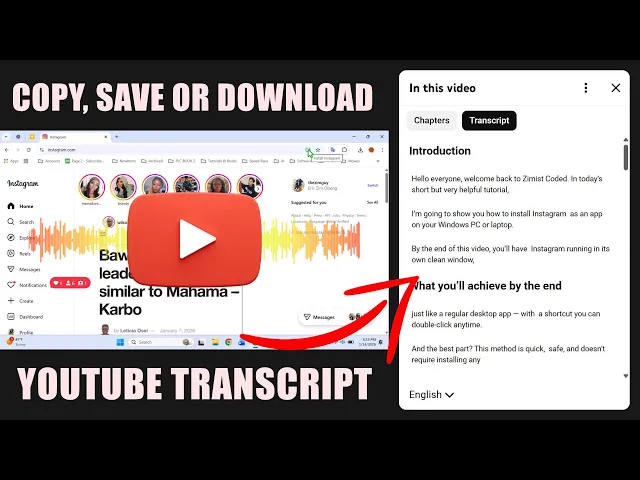
Download YouTube Transcripts DIRECTLY Without Any Tools?
Here is a video tutorial demonstrating how to show, clean up, and copy a transcript from a YouTube video: 2m Download YouTube Transcripts DIRECTLY Without Any Tools? 8.4K views · 9 months ago YouTube · Zimist Coded
Alternative Methods
Online Generators: You can use free web tools like Free Youtube Transcript Generator by Tactiq.io or YouTube-Transcript.io to extract and download transcripts automatically by pasting the video URL. Browser Developer Tools: Technical users can extract transcripts directly through browser developer tools by monitoring network requests for timedtext or running a quick console script to pull ytd-transcript-segment-renderer elements, as discussed by the community on Reddit Techsupport.
If you're trying to do this on a mobile device (iPhone or Android) or need help formatting/cleaning up a messy transcript with AI, let me know!
Videos
3 videos · SERP position 4 1How to Get Transcript from YouTube Video (Step-by-Step)
Kevin StratvertYouTubeApr 2, 2026
 2Download YouTube Transcripts DIRECTLY Without Any Tools?
 3How to Get Transcript from YouTube Videos in Seconds! ...
Redditreddit.com
r/techsupport
Is there an easy way to get a youtube video transcript? The ...
The way i do it is to open YouTube in brave in desktop mode, then copy the transcript and use another page to remove the timestamps. I just use it to summarize...
r/SideProject
I've Created a Free Tool for Extracting YouTube ...
Chrome Web Storehttps://chromewebstore.google.com › detail › mpfdnefh...
Copy Youtube Transcript lets you instantly copy or download video transcripts with a single click. Open any YouTube video with captions 2. Click the extension...
People also ask
- How can I copy an entire YouTube transcript?
- How do I copy the transcript of a video?
- How to turn a YouTube transcript into a PDF?
- How can I get a text transcript of a YouTube video?
Tactiqhttps://tactiq.io › tools › youtube-transcript
1. Copy the YouTube URL. Copy the URL from the address bar of your web browser or right-click the video and select “Copy Video URL” · 2. Paste the URL above.
Wave AI Note Takerhttps://wave.co › tools › youtube-transcript
Paste a YouTube link and get the full transcript with timestamps in seconds. Translate it, download .txt or .srt, or get an AI summary. Free, no account.
YouTube Transcript AIhttps://youtube-transcript.ai
Get the full transcript of any YouTube video in seconds. Copy, download, or translate to any language — 100% free, no sign-up, no limits.
See Which Sites Sell Backlinks
Sign up free to see all 100 results and find which domains are already selling links. Skip the guesswork and rank faster.
See All Results. It's Free.