Who ranks for “screen refresh rate test”
“screen refresh rate test” gets about 880 searches a month in the US. The top results are testufo.com, screentester.io, onlinemictest.com. The median Domain Rating on page one is DR 62, and the lowest is DR 6. To rank, you need relevant backlinks from sites like these.
97 organic results
Google pages10/10
- AI Overview
AI Overview
To test your screen's refresh rate in Hertz (Hz), run a browser-based motion test like UFO Test or ScreenTester, or check your operating system's display settings. Most users on Reddit agree on using a UFO motion test alongside display settings to confirm a monitor's actual refresh rate. How to Run an Accurate Browser Test Use dedicated tools: Open UFO Test Refresh Rate or ScreenTester in a modern browser. Let it stabilize: Wait at least 20–30 seconds for a steady reading. Close background apps: Close extra tabs and heavy apps so your system does not drop frames. Test one monitor at a time: Drag the browser window onto the target monitor and avoid spanning across two screens with different refresh rates. Check Your System Settings Windows: Go to Settings > System > Display > Advanced display and check the chosen refresh rate. macOS: Open System Settings > Displays and view the listed refresh rate options. Phones: Mobile browsers may cap web tests at 60 FPS or lower rates when the screen is idle, even on 120 Hz displays. Common Troubleshooting Tips Variable Refresh Rate (VRR): G-Sync or FreeSync makes the display track frame rate; turn VRR off to measure the maximum refresh rate. Cables and ports: If a high-refresh monitor reads lower than expected, check your cable bandwidth, port version, or monitor on-screen display (OSD) settings.
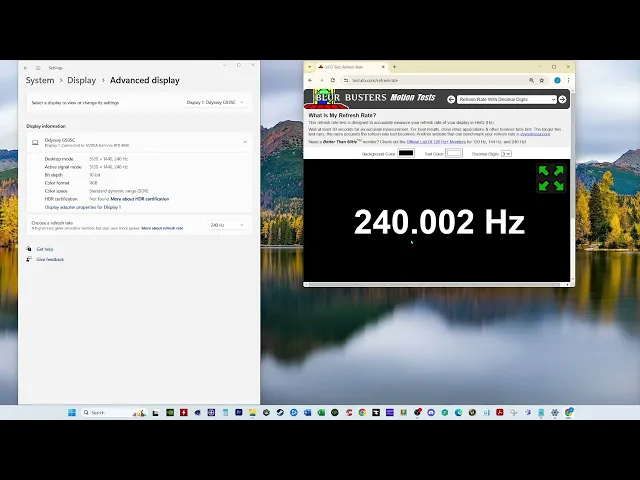
Checking Your Monitor's Actual Refresh Rate 01:41
testufo.comhttps://testufo.com > refreshrate
This refresh rate test is designed to accurately measure your refresh rate of your display in Hertz (Hz). Wait at least 30 seconds for an accurate measurement.
1
DR 70141.6K traffic
screentester.iohttps://screentester.io > refresh-rate-test
A refresh rate test measures how many times per second your screen redraws. The higher the rate, the shorter each frame: 16.7 ms at 60 Hz, 6.94 ms at 144 Hz.
2
DR 2337.9K traffic
testufo.comhttps://testufo.com
Blur Busters UFO Motion Tests with ghosting test, 30fps vs 60fps, 120hz vs 144hz vs 240hz, PWM test, motion blur test, judder test, benchmarks, and more.
3
DR 70141.6K traffic
onlinemictest.comhttps://www.onlinemictest.com > refresh-rate-test
Screen refresh rates are measured in Hertz (Hz), a number which indicates how many times the screen refreshes the image every second.
xbitlabs.comhttps://www.xbitlabs.com > monitor-hz-test
Instantly detect your monitor's refresh rate with our free online Hz test. Find out if your display runs at 60Hz, 144Hz, 240Hz or higher.
YouTubewww.youtube.com
We put 60Hz vs 120Hz and 60Hz vs 240Hz head-to-head to find out whether higher refresh rate monitors are worth it for gaming and everyday use.
frameratetest.comhttps://frameratetest.com > refresh-rate-tester
Test your display's refresh rate capabilities with our free online tool. Higher refresh rates result in smoother motion and better responsiveness.
7
DR 666.6K traffic
whatismyrefreshrate.comhttps://whatismyrefreshrate.com
Instantly check your screen's refresh rate in Hz. A guided check walks you through pixels, backlight, color and motion in a few minutes, Checking your screen's...
8
2.8K traffic
Reddit · r/buildapcwww.reddit.com
How to confirm your monitor is actually running at rated ...
Free tool to check if your monitor is actually running at the refresh rate you set. 0. 1 ...
See Which Sites Sell Backlinks
Sign up free to see all 100 results and find which domains are already selling links. Skip the guesswork and rank faster.
See All Results. It's Free.