Who ranks for “tiktok video maker”
“tiktok video maker” gets about 390 searches a month in the US. The top results are revid.ai, crayo.ai, blitzreels.com. The median Domain Rating on page one is DR 75, and the lowest is DR 51. To rank, you need relevant backlinks from sites like these.
98 organic results· Google estimates ~123
Google pages10/10
- AI Overview
- Videos
AI Overview
You can create TikTok videos directly inside the mobile app or use external online editors like CapCut TikTok Video Editor, Canva, or invideo AI.
Creating a Video Directly in the TikTok App
Open TikTok: Tap the + (plus) icon at the bottom center of your screen. Choose Length: Select your desired video length (such as 15 seconds, 60 seconds, or longer). Record or Upload: Hold or tap the red record button to film clips in real time. Tap Upload in the bottom right corner to select pre-recorded videos or photos from your device's gallery. Edit & Enhance: Add sounds, music tracks, text overlays, filters, voiceovers, or auto-captions from the editing menu. Post: Tap Next, write a caption, add relevant hashtags, and press Post (or save to Drafts ).
Popular Free Online TikTok Video Makers
CapCut: Official TikTok video editor with AI tools, auto-captions, one-click sharing, and ready-to-use templates. Canva: Browser-based design tool featuring vertical video templates, stock footage, and an AI song/voice generator. invideo AI: Generates TikTok-ready videos from a simple text prompt or raw clip uploads on a single timeline editor. Adobe Express: Offers free vertical video templates, animated text, and direct TikTok scheduling features.

How to Create TikTok Videos | Record, Edit & Post Like a Pro
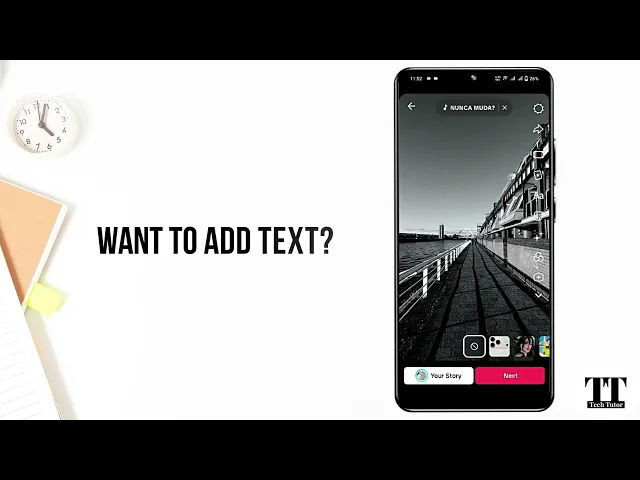
Here is a step-by-step visual guide on how to record, edit, and post a TikTok video like a pro: 1:20 How to Create TikTok Videos | Record, Edit & Post Like a Pro 3 days ago YouTube · Tech Tutor 123
Are you looking to film and edit inside the app, or would you prefer a desktop AI generator to make the video for you?
Revid AIhttps://www.revid.ai › Tools
Generate viral TikTok videos from any text or URL with AI in minutes. Automatic graphics, voiceover, and TikTok optimized formatting no editing skills ...
Crayo AIhttps://crayo.ai › Blog › Going Viral on TikTok
Jul 23, 2024 — Crayo AI is the fastest way to create short videos. Create unlimited short videos at once. Crayo even autogenerates captions, effects, ...
BlitzReelshttps://www.blitzreels.com › Best Tools
Jun 9, 2026 — The best TikTok video maker depends on your starting point: use CapCut for free manual editing, Submagic for caption-heavy posts, Opus Clip for
3
DR 51593 traffic
Videos
3 videos · SERP position 51
How to Make TikTok Videos (Beginners)2
TikTok Video AI Generator - Create with AI 3How To Make TikTok Videos - TikTok Beginners Guide
GuideRealmYouTubeJan 18, 2026
Vivideohttps://vivideo.ai › solutions › tiktok-video-maker
A free online TikTok video maker and editor in one. Turn a text prompt, a product link or a few photos into a vertical 9:16 TikTok — captioned, sound-on and
Pippit AIhttps://www.pippit.ai › Tools
Edit TikTok videos online with Pippit's free TikTok video editor. Add effects, text, music, and AI avatars. Create engaging content fast—no editing skills ...
TikTokhttps://www.tiktok.com › Discover
Step-by-step guide to making TikTok videos for beginners — planning, filming, editing, effects, and posting tips to grow views and engagement.
Medium · Atisfyre5 years ago
CapCut is a TikTok video editing software developed by ByteDance. It's a free all-in-one editing app that lets you create TikTok videos 2021.
Kapwinghttps://www.kapwing.com › AI › Clip Maker
Use Kapwing's AI TikTok Clip Maker and Generator to create viral highlights for TikTok. Start making clips with subtitles, music, and transitions for free.
See Which Sites Sell Backlinks
Sign up free to see all 100 results and find which domains are already selling links. Skip the guesswork and rank faster.
See All Results. It's Free.